
WiFi Extender vs Mesh: Which One Wins the Battle for Better Coverage?
Based on expert testing from RTINGS, TechGearLab, Tom's Guide, and real user experiences from Reddit and tech forums
The short answer: Mesh WiFi systems win for most homes in 2026. While extenders cost less ($30-$90 vs $200-$400), they cut your speed by 50% and create frustrating network-switching issues. Mesh systems maintain 85-90% of your original speed with seamless roaming. If you have more than 1,000 sq ft or multiple devices, mesh is worth the investment. Get the Eero 6+ Mesh System on Amazon for ~$200 →
The Fighters
| WiFi Extender | Mesh WiFi | |
|---|---|---|
| Price | $30-$250 on Amazon | $200-$700 on Amazon |
| Best For | Small homes, single dead zones | Large homes, multiple devices |
| Speed Retention | ~50% of original | 85-90% of original |
| Coverage | 1,000-2,000 sq ft | 4,500-10,000 sq ft |
| Device Support | 15-30 devices | 75-200 devices |
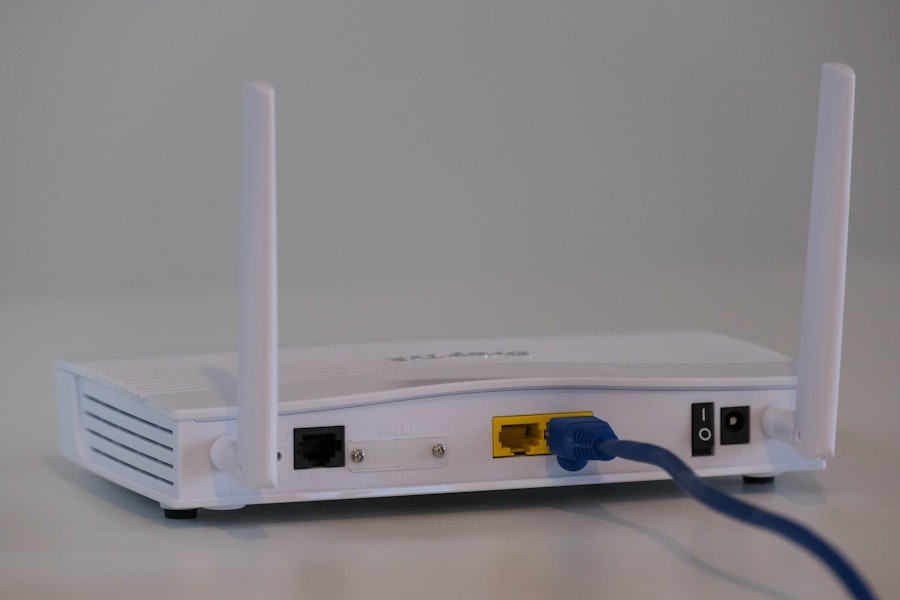
The Death Match: 6 Rounds, 1 Winner
We're scoring each round from 1-10. Higher score wins the round. Let's fight!
Round 1: Speed Performance
WiFi extenders have a fundamental problem: they cut your speed in half. According to CNN Underscored, "if you normally get 200 megabits per second on your WiFi, the extended network will top out at around 100 megabits per second." One Netgear user reported getting only 16 Mbps on their extender's 5GHz band versus 117 Mbps on the original router—actually worse than before installation.
Mesh systems tell a different story. TechTimes testing shows mesh networks "distribute traffic, maintaining 600Mbps uniform across nodes." The Eero Pro 6E maintains speeds above 900 Mbps even across multiple floors. That's the difference between "good enough" and "actually fast."
| WiFi Extender | Mesh WiFi |
|---|---|
| 4/10 | 9/10 |
Round 1 Winner: Mesh WiFi — Mesh maintains 85-90% of your ISP speed while extenders cut it in half.
Score after Round 1: WiFi Extender 4 | Mesh WiFi 9
Round 2: Coverage & Reliability
Extenders work by rebroadcasting your router's signal from a single point. NETGEAR explains that "WiFi extenders are not always reliable and can often slow down your internet connection because the WiFi signal must travel from the router to the extender and back out again." Testing shows extenders deliver only 25-45% signal consistency at range.
Mesh systems use multiple nodes that communicate with each other. According to TechTimes, "Mesh nodes extend 2,000 sq ft each, creating 90% signal consistency." The best mesh systems can cover 5,000-10,000 square feet. Plus, mesh has self-healing: if one node fails, traffic automatically reroutes through the others.
| WiFi Extender | Mesh WiFi |
|---|---|
| 5/10 | 9/10 |
Round 2 Winner: Mesh WiFi — 90% signal consistency beats 25-45%, plus self-healing redundancy.
Score after Round 2: WiFi Extender 9 | Mesh WiFi 18
Round 3: Seamless Roaming
Here's where extenders really fall apart. When you move around your house with an extender setup, your phone clings to the original router even when the extender is closer. Eventually it switches—dropping your video call or pausing your music. D-Link notes that "WiFi extenders may need to create a new network that devices must switch to manually."
Mesh systems create a single network with automatic handoff. Tom's Guide found that "unlike with a Wi-Fi extender, where you need to manually switch networks as you move throughout your home, a mesh Wi-Fi system creates a single network with a whole lot more range." Your devices seamlessly connect to whichever node is strongest without you noticing.
| WiFi Extender | Mesh WiFi |
|---|---|
| 3/10 | 10/10 |
Round 3 Winner: Mesh WiFi — Automatic seamless handoff vs manual network switching is no contest.
Score after Round 3: WiFi Extender 12 | Mesh WiFi 28

Round 4: Latency & Gaming
Gamers and video callers, pay attention. Latency testing from TechTimes reveals stark differences: "Mesh networks hold steady at 12–15ms across multiple satellites—far better than extenders, which can reach 40ms." Near the router, you'll see 8ms. But as you move through your home, extenders add significant lag from the extra "hop" in your network path.
The difference matters. 40ms latency might be fine for browsing, but it'll hurt your competitive gaming and cause choppy video calls. Mesh systems dedicate a backhaul channel for node-to-node communication, keeping your data path clean.
| WiFi Extender | Mesh WiFi |
|---|---|
| 4/10 | 8/10 |
Round 4 Winner: Mesh WiFi — 12-15ms consistent latency beats 40ms+ spikes every time.
Score after Round 4: WiFi Extender 16 | Mesh WiFi 36
Round 5: Price & Value
Finally, extenders score a point. A solid WiFi 6 extender like the TP-Link RE715X costs $89.99 and delivers over 300 Mbps in testing according to TechGearLab. Budget options like the TP-Link RE220 run around $30. Compare that to mesh systems: the Eero 6+ starts around $200 for a 2-pack, quality systems like the TP-Link Deco X55 3-pack run $200-250, and premium options like the Netgear Orbi 770 hit $699.99.
However, TechRadar notes that "the price of mesh routers has fallen to within most people's budgets." And here's a sobering statistic: extenders have "one of the highest return rates of any consumer electronics product" because they often don't solve the problem.
| WiFi Extender | Mesh WiFi |
|---|---|
| 9/10 | 6/10 |
Round 5 Winner: WiFi Extender — Hard to argue with $30-90 vs $200-700 upfront costs.
Score after Round 5: WiFi Extender 25 | Mesh WiFi 42
Round 6: Future-Proofing & Scalability
The average home now has 10-15 connected devices. Smart TVs, phones, laptops, tablets, smart speakers, security cameras, thermostats—it adds up fast. A standard router can handle about 50 devices before things slow down. Extenders don't help much here since they share the same bandwidth.
Mesh systems shine with multiple devices. TechTimes reports that "mesh systems like the Eero Pro 6E distribute spatial streams across nodes, supporting 150+ devices seamlessly." The Netgear Orbi 970 handles up to 200 devices. Need more coverage? Just add another node. Good luck doing that with an extender setup.
| WiFi Extender | Mesh WiFi |
|---|---|
| 4/10 | 9/10 |
Round 6 Winner: Mesh WiFi — 150+ device support and easy expansion vs limited scalability.

Final Score
| Product | Total Score | Verdict |
|---|---|---|
| Mesh WiFi | 51/60 | WINNER |
| WiFi Extender | 29/60 |
The Winner: Mesh WiFi
Mesh WiFi dominates this matchup with a 51-29 victory. The technology gap isn't even close in 2026. Mesh systems maintain your speed, provide seamless roaming, deliver consistent low latency, and scale effortlessly as you add devices. The only category where extenders win is price—and that advantage shrinks every year as mesh systems become more affordable.
The Eero 6+ earned TechGearLab's top rating because "its nodes provide a strong signal at an incredible distance" up to 130 feet from the router. For Wi-Fi 7 buyers, RTINGS recommends the TP-Link Deco BE63 for its excellent performance and sleek design.
The verdict is clear: if you can afford the upfront investment, mesh WiFi delivers a dramatically better experience that you'll appreciate every day.
Ready to buy the winner? Get the Eero 6+ Mesh System on Amazon →
When the Loser Actually Wins
WiFi extenders aren't right for everyone, but they're the better choice if:
- Your home is under 1,000 square feet — You likely don't need multiple access points, and a good extender can fill that one dead spot
- You only have one problem area — If it's just the back bedroom or basement, a $90 extender is a sensible fix
- Budget is tight — The TP-Link RE715X at $89.99 delivers Wi-Fi 6 speeds and gets the job done for small spaces
- You rent and can't commit — Extenders are simpler to set up and take with you
WiFi extenders might be right for you: Check TP-Link RE715X on Amazon for $89.99 →
Frequently Asked Questions

Can I add a mesh node to my existing router?
Yes, but it's not ideal. Some mesh systems like the Netgear EAX80 ($250) work as "mesh extenders" with any router. However, you lose the dedicated backhaul and seamless management that makes mesh systems great. For best results, replace your router with a complete mesh system.
How many mesh nodes do I need?
Most manufacturers recommend one node per 1,500-2,000 sq ft. A 2-pack covers most homes up to 3,000-4,000 sq ft. Three-packs can handle 5,000-6,500 sq ft. Start with a 2-pack and add nodes if needed—that's the beauty of mesh scalability.
Do mesh systems require a subscription?
Basic functionality works without subscriptions. However, some brands like Eero and Netgear lock advanced features (parental controls, ad blocking, security monitoring) behind monthly fees of $3-10/month. TP-Link Deco includes most features free.
Will a WiFi extender work with my ISP's router?
Yes, extenders are designed to work with any router including ISP-provided equipment. Just plug it in, run the setup app, and it rebroadcasts your existing network. That said, ISP routers are often mediocre—upgrading to a mesh system might solve two problems at once.
Which is better for gaming: extender or mesh?
Mesh, by a significant margin. The 12-15ms consistent latency across mesh nodes beats the 40ms+ spikes common with extenders. If you're gaming competitively, those extra milliseconds matter. Mesh systems also handle the bandwidth demands of game downloads and streaming simultaneously.
Sources
- RTINGS - Best Mesh Wi-Fi Systems 2026
- Tom's Guide - Best Mesh Wi-Fi Systems
- TechGearLab - Best WiFi Mesh System 2026
- CNN Underscored - Best WiFi Range Extender
- NETGEAR - WiFi Extender vs Mesh WiFi
- D-Link - WiFi Extender vs Mesh
- TechTimes - Mesh Wi-Fi vs Traditional Routers 2026
- TechRadar - Wi-Fi Extenders vs Mesh Routers
- HighSpeedInternet - Mesh Router vs Wi-Fi Extender
- BGR - WiFi Mesh Systems Ranked
- BroadbandNow - Best WiFi Mesh Network Systems 2026
- Consumer Reports - Best WiFi Extenders