
Mechanical Keyboard vs Membrane: Which Technology Actually Wins in 2026?
Based on RTINGS measurements, Reddit discussions, and real user experiences from thousands of keyboard owners
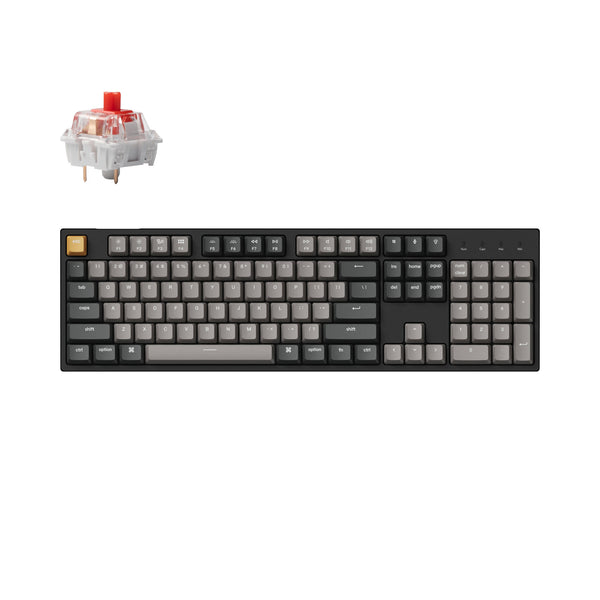
The short answer: Mechanical keyboards win decisively. With prices now starting at $35 and lifespans of 50-100 million keystrokes (10-15 years), the old "membrane is cheaper" argument has collapsed. Mechanical keyboards deliver better typing feel, faster gaming response, and replaceable switches when anything wears out. Get the Keychron C2 Pro on Amazon for $44 →
The Fighters
| Mechanical Keyboard | Membrane Keyboard | |
|---|---|---|
| Price | $35-200+ on Amazon | $15-50 on Amazon |
| Best For | Gaming, heavy typing, long-term value | Extreme budget, portability, quiet environments |
| Lifespan | 50-100 million keystrokes | 5 million keystrokes |
| Typical Life | 10-15 years | 1-5 years |
| Actuation | Partial (2mm of 4mm travel) | Full bottom-out required |
The Death Match: 6 Rounds, 1 Winner
We're scoring each round from 1-10. Higher score wins the round. Let's fight!
Round 1: Typing Feel & Feedback
The fundamental experience of pressing keys couldn't be more different between these technologies.
Mechanical keyboards use individual switches with a housing, spring, and stem for each key. You get consistent feedback whether you're hitting the spacebar or the rarely-used scroll lock. The key registers at the actuation point (typically 2mm into a 4mm travel), meaning you don't need to slam keys to the bottom. Three switch types let you choose your experience: linear for smooth and quiet, tactile for a satisfying bump, or clicky for audible feedback (RTINGS).
Membrane keyboards rely on rubber domes pressing a membrane sheet to complete circuits. Every keystroke requires bottoming out completely. The feel is mushy and inconsistent—and gets worse over time as rubber domes harden, crack, and degrade unevenly. Your frequently-used keys will feel different from your rarely-touched ones within months (PCWorld).
| Mechanical Keyboard | Membrane Keyboard |
|---|---|
| 9/10 | 4/10 |
Round 1 Winner: Mechanical Keyboard — Consistent, customizable feel that improves typing speed and reduces fatigue.
Score after Round 1: Mechanical 9 | Membrane 4
Round 2: Durability & Lifespan
This is where the gap becomes a chasm.
Mechanical switches are rated for 50-100 million keystrokes. In real-world terms, that's 10-15 years of heavy daily use, with many keyboards lasting 20+ years. The IBM Model M keyboards from the 1980s are still being used daily by enthusiasts—that's 40+ years of service (TipTapTypers).
Membrane keyboards max out at 5 million keystrokes, translating to 1-5 years depending on usage. The rubber domes don't just wear out—they degrade. They harden, crack, and lose their springiness. Spill resistance is poor, with liquids often causing instant death. There's no repairing them; once the membrane sheet fails, you're buying a new keyboard (KeebsForAll).
When a mechanical switch fails, you can replace just that switch (hot-swap or solder). When a membrane keyboard fails, you replace everything.
| Mechanical Keyboard | Membrane Keyboard |
|---|---|
| 10/10 | 3/10 |
Round 2 Winner: Mechanical Keyboard — 10-20x longer lifespan with repairable components versus disposable design.
Score after Round 2: Mechanical 19 | Membrane 7
Round 3: Gaming Performance
For competitive gaming, the technology difference directly impacts your performance.
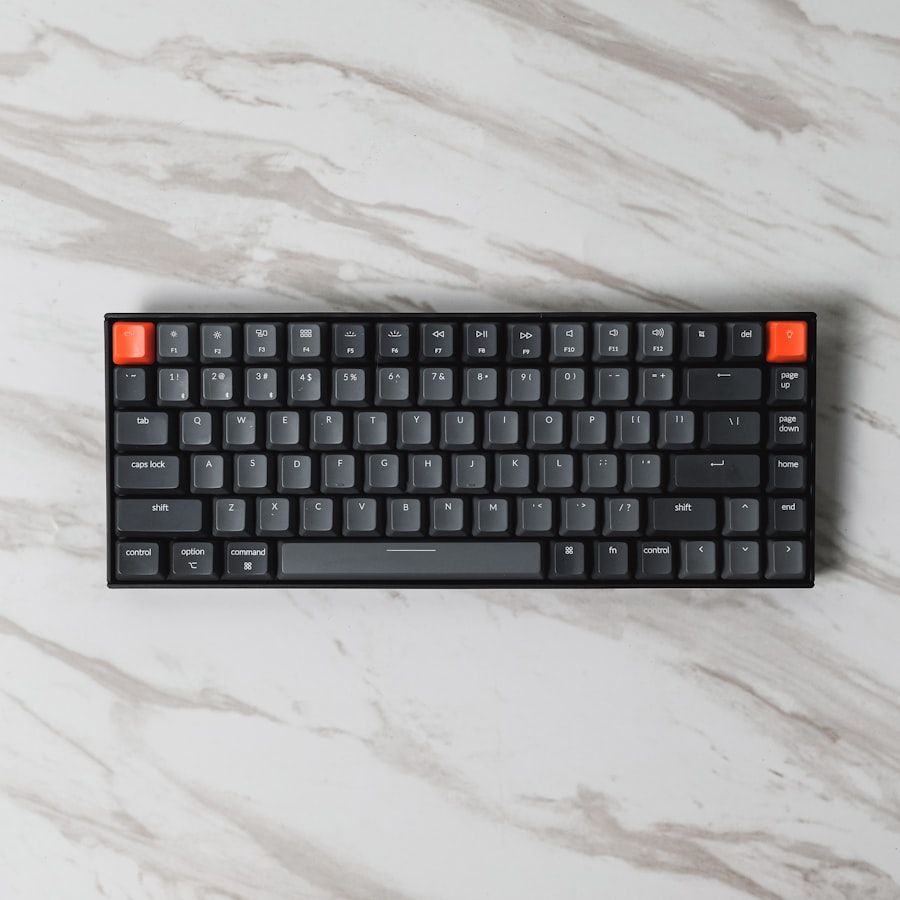
Mechanical keyboards offer faster actuation since you don't need to bottom out keys. Hall effect/magnetic switches (now mainstream in 2026 on boards like the Wooting 60HE, Razer Huntsman V3 Pro, and SteelSeries Apex Pro) allow adjustable actuation points and 8000Hz polling rates. Input latency is lower, and the distinct feedback helps you know exactly when a keypress registered (RTINGS).
Membrane keyboards require full key depression for every input. In fast-paced games, that extra millisecond of travel adds up. Missed keystrokes from incomplete presses can cost matches. The mushy, degrading feel makes it harder to develop muscle memory for consistent inputs.
That said, for casual single-player gaming, the difference matters less. You can absolutely enjoy Stardew Valley on a membrane keyboard.
| Mechanical Keyboard | Membrane Keyboard |
|---|---|
| 9/10 | 5/10 |
Round 3 Winner: Mechanical Keyboard — Faster actuation, lower latency, and consistent feedback for competitive play.
Score after Round 3: Mechanical 28 | Membrane 12
Round 4: Noise Level
Here's where membrane has traditionally claimed victory—but the reality is nuanced.
Membrane keyboards typically operate at 40-50 dB, genuinely quiet for shared spaces. No click, no clack, just a soft thump.
Mechanical keyboards range widely: linear switches hit 45-60 dB (office-friendly), tactile switches produce a moderate "thock" without clicking, and clicky switches can reach 64-78 dB (avoid in open offices). The average office sits at 60-65 dB, so linear mechanical keyboards actually blend right in (Das Keyboard).
Modern mechanical keyboards can be made nearly silent with foam dampening, silent switches, desk mats, and gasket mounting. In 2026, "mechanical = loud" is outdated. But if you need guaranteed quiet with zero effort, membrane still has the edge.
| Mechanical Keyboard | Membrane Keyboard |
|---|---|
| 6/10 | 8/10 |
Round 4 Winner: Membrane Keyboard — Quieter by default, though silent mechanical options exist.
Score after Round 4: Mechanical 34 | Membrane 20
Round 5: Value for Money
The 2026 market has obliterated membrane's historical advantage.
Quality mechanical keyboards now start at $35. The Redragon K552 Kumara offers metal construction and 50 million keystroke switches at that price. The Keychron C2 Pro ($44-64) includes hot-swap capability, PBT keycaps, and QMK/VIA software support. The Redragon K617 Fizz Magnetic brings hall-effect switches and 8000Hz polling for $45 (Tom's Hardware).
Membrane keyboards start at $15-20, but you're buying a product that lasts 1-5 years versus one that lasts 10-15 years. Over a decade, you'll replace that cheap membrane keyboard 3-10 times.
The math: A $40 mechanical keyboard lasting 12 years = $3.33/year. A $20 membrane keyboard replaced every 3 years = $6.67/year. Mechanical keyboards are literally half the price over time.
| Mechanical Keyboard | Membrane Keyboard |
|---|---|
| 9/10 | 5/10 |
Round 5 Winner: Mechanical Keyboard — Better upfront value with dramatically better long-term economics.
Score after Round 5: Mechanical 43 | Membrane 25
Round 6: Ergonomics & Comfort
Extended typing sessions reveal significant differences in physical impact.
Mechanical keyboards support partial actuation—your fingers don't have to smash through to the bottom of each keystroke. This reduces total finger travel and force required over thousands of daily keypresses. Split layouts, adjustable tilt, and programmable keys are common features. Three levels of typing angle adjustment (like Keychron's 4.8°, 8.5°, and 10.7° options) help find the right wrist position (Dygma).
Membrane keyboards require bottoming out every single key, every single time. That's more finger strain over long sessions. Ergonomic features are rare in the membrane category, and adjustability is minimal. The mushy, inconsistent feel also makes it harder to type lightly.
Neither technology alone prevents RSI—proper posture and technique matter most—but mechanical keyboards offer more tools for optimization.
| Mechanical Keyboard | Membrane Keyboard |
|---|---|
| 8/10 | 5/10 |
Round 6 Winner: Mechanical Keyboard — Partial actuation reduces strain, plus more ergonomic options available.
Score after Round 6: Mechanical 51 | Membrane 30
Final Score
| Product | Total Score | Verdict |
|---|---|---|
| Mechanical Keyboard | 51/60 | WINNER |
| Membrane Keyboard | 30/60 |
The Winner: Mechanical Keyboard
The mechanical keyboard wins by a landslide, taking 5 of 6 rounds. The only category where membrane keyboards held an advantage—noise—has been significantly narrowed by silent switch options and dampening techniques.
The 2026 market reality makes this decision easy: with budget mechanical keyboards starting at $35 and offering 10-20x the lifespan, better typing feel, faster gaming performance, and lower long-term cost, the membrane keyboard's value proposition has evaporated. You're not saving money by buying membrane—you're deferring costs while getting an inferior experience.
The technology gap is insurmountable. Individual switches with consistent feel versus degrading rubber domes. Repairable components versus disposable units. Partial actuation versus mandatory bottom-out. Every fundamental aspect favors mechanical.
Ready to upgrade your typing experience? Get the Keychron C2 Pro on Amazon →
When Membrane Actually Wins
Membrane keyboards aren't the right choice for most people, but they make sense if:
- Your budget is truly under $25 — Though the gap has narrowed significantly, the cheapest membrane boards still undercut entry mechanical
- Portability is critical — Membrane keyboards are lighter and slimmer for travel
- You need guaranteed silence with zero effort — While silent mechanical exists, membrane is quiet by default
- It's a temporary or backup keyboard — Don't invest in mechanical for your emergency drawer keyboard
- Your usage is extremely light — If you type for 10 minutes a day, membrane durability concerns don't apply
A membrane keyboard might work for you: Check membrane keyboards on Amazon →
Frequently Asked Questions

Are mechanical keyboards too loud for office use?
Not necessarily. Linear switches operate at 45-60 dB, comparable to normal office ambient noise (60-65 dB). Add silent switches, desk mats, and foam dampening, and mechanical keyboards can be quieter than some membrane boards. Avoid clicky switches (Blue, Green) in shared spaces—those reach 78 dB (Kinetic Labs).
How long do mechanical keyboards actually last?
Most mechanical switches are rated for 50-100 million keystrokes, translating to 10-15 years of heavy daily use. Some users report 20+ years with light maintenance. The IBM Model M keyboards from the 1980s are still functioning, demonstrating the technology's longevity (TipTapTypers).
What's the best budget mechanical keyboard in 2026?
The Keychron C2 Pro ($44-64) offers the best balance of features: hot-swap switches, PBT keycaps, QMK/VIA support, and solid build quality. For even less, the Redragon K552 Kumara ($35) provides metal construction and good switches. The Redragon K617 Fizz Magnetic ($45) brings hall-effect technology to budget pricing (RTINGS).
Should I avoid "mem-chanical" hybrid keyboards?
Yes. These marketing gimmicks add plastic clickers to membrane keyboards, combining the mushy feel of membrane with annoying noise. They're the worst of both worlds—pay the extra $15-20 for a real mechanical keyboard (Glitch Rant).
Sources
- RTINGS - Mechanical vs Membrane Explained
- RTINGS - Best Budget Mechanical Keyboards
- Tom's Hardware - Best Budget Mechanical Keyboards 2026
- Keychron - Types of Keyboard Switches
- GamesRadar - Mechanical vs Membrane
- PCWorld - Why Membrane Keyboards Aren't Worth It
- HowToGeek - Stop Buying Membrane Keyboards
- KeebsForAll - Keyboard Lifespan Compared
- TipTapTypers - Mechanical Keyboard Longevity
- Kinetic Labs - Are Mechanical Keyboards Too Loud for Work?
- Das Keyboard - Noise Level Guide
- Glitch Rant - Gaming Keyboard Guide 2026
- Dygma - RSI Prevention with Ergonomic Setup