Chromecast vs Roku: Which Streaming Device Actually Wins?
Based on user reviews, the 2026 Cordie Awards poll, and real-world reliability testing
The short answer: Roku wins for most cord-cutters. In the 2026 Cordie Awards poll, Roku captured 55.7% of votes, dominating the streaming device market. Why? It's simpler, more reliable, loads apps faster, and offers 10,000+ channels including free content through The Roku Channel. Chromecast's Android 14 update caused widespread issues, and Google doubled the price of its newest streamer to $100. Unless you're deeply invested in Google's smart home ecosystem, Roku is the smarter buy. Get the Roku Streaming Stick 4K on Amazon for $50 →
The Fighters
| Chromecast with Google TV | Roku Streaming Stick 4K | |
|---|---|---|
| Price | $50 on Amazon | $50 on Amazon |
| Best For | Google/Nest smart home users | Most cord-cutters |
| Resolution | 4K HDR, Dolby Vision | 4K HDR, Dolby Vision |
| Channels | Casting + Google TV apps | 10,000+ built-in channels |
| Free Content | Limited | The Roku Channel |
The Death Match: 6 Rounds, 1 Winner
We're scoring each round from 1-10. Higher score wins the round. Let's fight!
Round 1: Ease of Use
Roku's philosophy is simple: plug it in, grab the remote, and start watching. The interface is intuitive enough that your parents can figure it out without calling you. Cloudwards notes that Roku's "straightforward design appeals to beginners and experts alike."
Chromecast is more complex. While Google TV added a proper interface (you're no longer required to cast from your phone), the system assumes familiarity with Google's ecosystem. One Bogleheads forum user summed it up: "I have various Roku and Chromecast. Roku is consistently impressive. Chromecast is not at all."
For someone who just wants to watch TV, Roku removes friction. Chromecast adds it.
| Chromecast with Google TV | Roku Streaming Stick 4K |
|---|---|
| 6/10 | 9/10 |
Round 1 Winner: Roku Streaming Stick 4K — Simple beats clever for everyday use.
Score after Round 1: Chromecast 6 | Roku 9
Round 2: Reliability & Performance
This is where Chromecast's problems become painful. The March 2025 Android 14 update caused widespread issues — external drives stopped working, Ethernet adapters failed, some users lost audio entirely. Even worse, older Chromecasts completely bricked due to an expired certificate, and Google warned users not to factory reset or they'd be locked out permanently.
Day-to-day, Chromecast is described as "sluggish and unpredictable". Sometimes it responds fast; other times it freezes. According to Tom's Guide, Disney Plus and Netflix load noticeably slower on Chromecast than Roku.
Meanwhile, Roku users describe it as a device that "just keeps working." It's not exciting, but it's dependable.
| Chromecast with Google TV | Roku Streaming Stick 4K |
|---|---|
| 5/10 | 8/10 |
Round 2 Winner: Roku Streaming Stick 4K — When your streaming device breaks, you can't stream.
Score after Round 2: Chromecast 11 | Roku 17
Round 3: App & Channel Selection
Roku boasts over 10,000 channels, including every major streaming service and hundreds of niche options. More importantly, Roku offers The Roku Channel — a free, ad-supported service with thousands of movies and TV shows. If you're trying to cut costs, that free content adds real value.
Chromecast has all the major apps (Netflix, Hulu, Disney+, etc.), but the approach is different. It assumes you'll either cast from your phone or use Google TV's aggregated interface. There's less discovery of new channels.
MakeUseOf confirms: "Roku generally offers a larger selection of channels and apps compared to Chromecast."
| Chromecast with Google TV | Roku Streaming Stick 4K |
|---|---|
| 7/10 | 9/10 |
Round 3 Winner: Roku Streaming Stick 4K — More channels, more free content.
Score after Round 3: Chromecast 18 | Roku 26
Round 4: Remote Quality
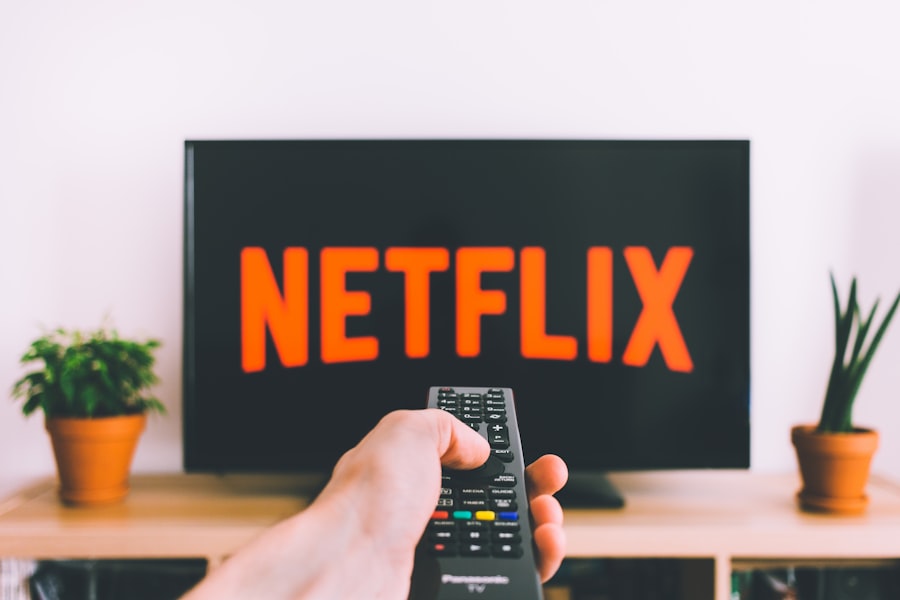
The Chromecast remote is described as "small, slippery, and not easy to hold". Users report battery problems after about a year, with some needing to replace batteries daily in severe cases.
Roku's Voice Remote Pro is "much easier to hold" according to the same Tom's Guide comparison, with a cutout on the back for your index finger. It's a small detail, but when you use something every day, ergonomics matter.
Both remotes have voice assistants, but Roku's feels more deliberately designed for the device it controls.
| Chromecast with Google TV | Roku Streaming Stick 4K |
|---|---|
| 5/10 | 8/10 |
Round 4 Winner: Roku Streaming Stick 4K — You hold the remote more than you look at the screen.
Score after Round 4: Chromecast 23 | Roku 34
Round 5: Smart Home Integration
Here's where Chromecast fights back. If you have Nest cameras, thermostats, or smart speakers, Chromecast integrates seamlessly. View your doorbell camera on TV. Ask Google Assistant to control your lights. The Google TV Streamer even supports Matter and Thread protocols for future smart home devices.
Stuff magazine notes it's "both an excellent 4K streaming box and great for those who live the smart home life."
Roku has basic smart home features but nothing comparable to Google's ecosystem. If your home runs on Google, Chromecast makes more sense.
| Chromecast with Google TV | Roku Streaming Stick 4K |
|---|---|
| 9/10 | 5/10 |
Round 5 Winner: Chromecast with Google TV — Google's ecosystem advantage is real.
Score after Round 5: Chromecast 32 | Roku 39
Round 6: Value for Money
At the same $50 price point, Roku delivers more: better reliability, more channels, faster app loading, and a better remote. That's a clear value win.
But the gap widens at other price points. Roku's Express 4K costs around $30 — PCWorld calls it "the best value streaming device you can buy." Google's equivalent (the Google TV Streamer) now costs $100 — double the old Chromecast 4K price.
Roku also offers more options: five different devices ranging from $30 to $100, so you can match the device to your needs and budget. Chromecast essentially offers one real choice at $50 (or the $100 Streamer).
| Chromecast with Google TV | Roku Streaming Stick 4K |
|---|---|
| 6/10 | 9/10 |
Round 6 Winner: Roku Streaming Stick 4K — More device options at better prices.
Final Score
| Product | Total Score | Verdict |
|---|---|---|
| Roku Streaming Stick 4K | 48/60 | WINNER |
| Chromecast with Google TV | 38/60 |
The Winner: Roku Streaming Stick 4K
Roku wins decisively, and the 2026 Cordie Awards confirm it — 55.7% of cord-cutters prefer Roku over all competitors. The reasons are clear: it's simpler, more reliable, offers more content, and doesn't require you to buy into any particular ecosystem.
Chromecast's Android 14 disaster highlighted a fundamental problem: Google treats Chromecast as a feature, not a product. Updates break things. Devices get deprecated. Support is inconsistent. For something as basic as watching TV, that's unacceptable.
Roku isn't flashy. The interface feels a bit "stodgy," as one user put it. But it just works. Day after day. That consistency is worth more than Chromecast's smarter features that don't work reliably.
Ready to buy the winner? Get the Roku Streaming Stick 4K on Amazon →
When the Loser Actually Wins
The Chromecast with Google TV isn't the right choice for everyone, but it's better if:
- You're in the Google/Nest ecosystem — If you have Nest cameras, thermostats, and speakers, Chromecast integrates seamlessly
- You prefer casting from your phone — Some people genuinely like browsing on their phone and casting to the TV
- You want personalized recommendations — Google TV's content aggregation is more sophisticated than Roku's
- Smart home integration matters — Matter and Thread support future-proofs your setup
The Chromecast might be right for you: Check price on Amazon →
Frequently Asked Questions

Is Roku really easier to use?
Yes, significantly. Roku's interface is designed for people who just want to watch TV. You don't need a smartphone to set it up properly, you don't need a Google account, and you don't need to understand casting. If you can use a TV remote, you can use Roku.
What about the ads on Roku?
Roku does show ads on its home screen, and some users find this frustrating. However, the ads are less intrusive than Fire TV's, and you can't avoid ads entirely on any budget streaming device. The ad-free experience requires Apple TV at $149+.
Do both have all the major streaming apps?
Yes. Netflix, Hulu, Disney+, HBO Max, Amazon Prime Video, Peacock, Paramount+, and Apple TV+ are all available on both platforms. For mainstream streaming, app selection is essentially identical.
Which is better for a non-techie family member?
Roku, without question. Hand them the remote and they'll figure it out. Chromecast's casting concept and Google TV interface have a learning curve that can frustrate less tech-savvy users.
Sources
- Cord Cutters News - Best Streaming Player 2026
- Cloudwards - Roku vs Firestick vs Chromecast 2026
- Tom's Guide - Roku vs Chromecast Face-Off
- 9to5Google - Chromecast Android 14 Problems
- TechRadar - Chromecasts Broken
- CNN Underscored - Best Streaming Devices 2026
- PCWorld - Best Streaming Devices 2026
- MakeUseOf - Chromecast vs Roku